SIBO Breath Test Charting in Cerbo EHR: The Clinical Guide
Streamline SIBO breath test charting in Cerbo EHR. Automate hydrogen, methane, and hydrogen sulfide diagnostics to save hours of daily clinical admin.
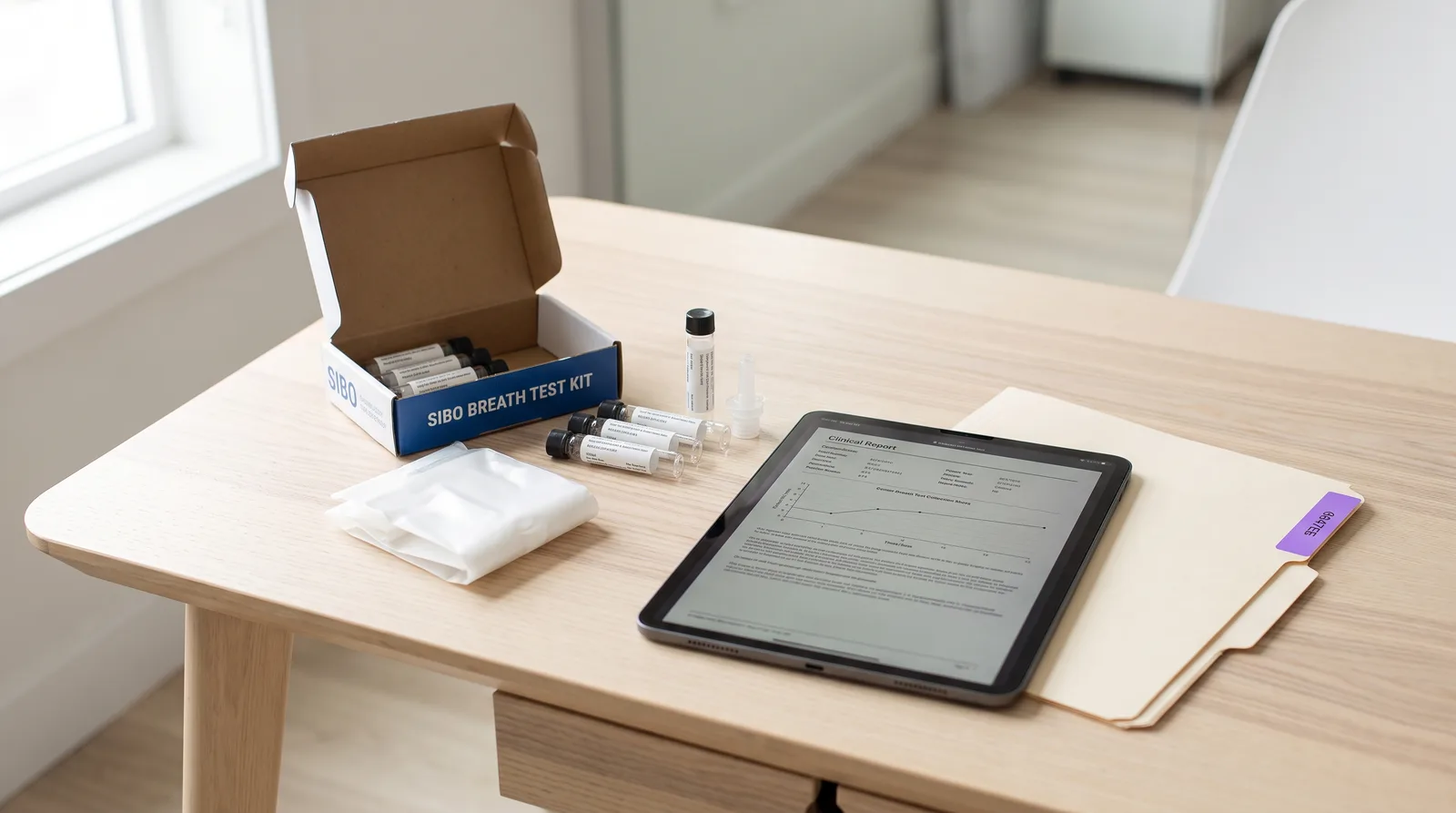
Functional medicine practitioners often find themselves drowning in the sheer volume of patient documentation required for complex, multi-system gut health analysis. Because initial gastrointestinal evaluations can take upwards of 90 minutes, standard charting in electronic health records can quickly lead to charting fatigue and hours of after-hours paperwork. Small Intestinal Bacterial Overgrowth (SIBO) is one of the most common yet administratively taxing conditions seen in integrative practices. Optimizing your SIBO breath test charting in Cerbo EHR is the most effective way to reclaim your schedule without sacrificing clinical detail. By aligning your clinical note-taking with smart, automation-friendly workflows, you can capture every biomarker while preserving valuable patient connection. This guide shows how to streamline your SIBO charting.
Table of Contents
- Key Takeaways
- Why SIBO charting is an administrative burden for integrative practices
- The clinical mechanics of SIBO breath testing: Substrates and gases
- Setting up Cerbo EHR templates for SIBO breath test charting
- Capturing complex SIBO treatment protocols: Kill, Heal, and Prevent phases
- Integrating SIBO lab results in Cerbo EHR via Rupa Health
- How Meelio automates SIBO charting and pushes notes directly via API
- Frequently Asked Questions
Key Takeaways
| Takeaway | Details |
|---|---|
| Documentation Burden | Traditional charting consumes up to 4 hours of a practitioner's day after clinic hours, leading to severe burnout and fatigue. |
| API Syncing | Meelio natively pushes clinical notes directly into Cerbo EHR via API, eliminating the need to copy and paste. |
| Integrative Vocabulary | Ambient clinical intelligence captures complex clinical vocabularies including hydrogen, methane, and hydrogen sulfide levels without manual typing. |
| Biomarker Accuracy | Specialized scribes accurately summarize SIBO breath tests, including substrates like Lactulose and Glucose, directly into SOAP notes. |
| Efficiency Gains | Adopting ambient clinical documentation tools reduces overall electronic health record documentation time by over 50%, returning balance to your day. |
Why SIBO charting is an administrative burden for integrative practices
Standard electronic health record charting fails functional medicine clinics because conventional software is designed for short, single-issue visits rather than 90-minute multi-system consultations. Conventional systems expect a clinician to select a simple ICD-10 code and document a single acute complaint. In contrast, integrative medicine practitioners evaluating SIBO must analyze a patient's entire lifestyle, environmental exposures, gut microbiome, and multi-system digestion.
When a practitioner attempts to squeeze this expansive data into standard templates, they encounter severe bottlenecks. Studies show that clinicians spend more than 16 minutes per patient on EHR interaction alone during a standard short consultation. In functional medicine, where the visit is many times longer, this administrative load scales exponentially, resulting in a mountain of paperwork at the end of the day. To manage this demand, functional medicine clinics need a specialized electronic health record system like Cerbo EHR, coupled with automated documentation helpers. To understand the baseline EHR features required for integrative clinics, read our deep dive on Evaluating Cerbo EHR for Functional Medicine.
Symptom presentation in SIBO is highly variable. A patient with hydrogen-dominant SIBO often presents with bloating immediately after meals, abdominal pain, and loose stools. Conversely, a patient with methane-dominant SIBO, now clinically recognized as Intestinal Methanogen Overgrowth (IMO), typically experiences severe, chronic constipation due to methane's slowing effect on intestinal motility. Documenting these nuanced subjective histories, along with dietary triggers and past supplement trials, consumes a significant portion of the consultation.
The clinical mechanics of SIBO breath testing: Substrates and gases
To document SIBO accurately, a clinician must record the specific breath test protocol used, the substrate administered, and the precise measurements of hydrogen (H2), methane (CH4), and hydrogen sulfide (H2S) gases over a 2 to 3-hour collection window. Clinical consensus guidelines define SIBO as an increase of 20 parts per million (ppm) or more in hydrogen within 90 minutes of substrate ingestion.
Understanding the substrate used is clinically essential and must be documented in your Cerbo EHR note:
- Lactulose: A non-absorbable synthetic sugar that can only be fermented by bacteria. Because it travels the entire length of the gastrointestinal tract, it is the ideal substrate for detecting overgrowth in the distal (lower) parts of the small intestine. Note that Lactulose requires a prescription in the United States.
- Glucose: A simple sugar that is rapidly absorbed in the first part of the small intestine. While highly accurate for proximal (upper) small intestinal overgrowth, it can miss distal overgrowth because the substrate is absorbed before reaching the lower segments of the small intestine.
For a comprehensive review of gastrointestinal testing and how to document complex laboratory markers, refer to our GI-MAP Functional Medicine AI Guide. In addition to hydrogen and methane, advanced diagnostics like the Trio-Smart test measure hydrogen sulfide. An H2S reading of 3 ppm or higher is considered positive and often correlates with hypermotility and chronic diarrhea. Capturing these subtle values and matching them with the patient's clinical presentation requires highly precise, protocol-aware documentation.
Setting up Cerbo EHR templates for SIBO breath test charting
An effective Cerbo EHR template structures multi-system intake data, timeline-mapping, and complex supplement protocols into highly scannable clinical sections. Because functional medicine reviews are uniquely exhaustive, a template must balance deep details with structural legibility. A high-quality charting template divides the encounter into clear, predictable blocks.
When designing your SIBO template in Cerbo EHR, include the following key sections:
- Subjective Symptom Timeline: Track the onset of abdominal bloating, changes in bowel frequency, and key triggers (such as high-FODMAP foods, stress, or post-infectious food poisoning).
- Substrate & Test Parameters: Document whether Lactulose or Glucose was used, the testing laboratory (such as Genova Diagnostics, Trio-Smart, or Commonwealth Diagnostics), and whether the patient followed the 12-hour preparatory diet.
- Biomarker Grid: A structured section to record baseline, peak, and 90-minute values for hydrogen, methane, and hydrogen sulfide.
- Root Cause Assessment: Highlight potential predisposing factors (such as low stomach acid, impaired migrating motor complex, past abdominal surgeries, or chronic PPI use) to guide the long-term plan.
Having these structured sections helps organize your clinical thinking, but manually typing the details during a consultation remains an administrative bottleneck. Using an automated scribe that natively understands functional medicine vocabulary allows you to focus on the patient while the software drafts the note. Learn how this approach saves time in our guide on Evaluating Cerbo EHR for Functional Medicine.
Capturing complex SIBO treatment protocols: Kill, Heal, and Prevent phases
SIBO treatment is rarely a simple single-dose prescription. Effective management requires a structured, multi-phase clinical plan that spans several weeks. Documenting these complex, multi-layered protocols manually in an EHR is highly repetitive and prone to transcription errors.
A standard SIBO care plan typically follows three distinct phases, which must be clearly outlined in your clinical note:
- Phase 1: Eradication (Kill Phase): This involves either pharmaceutical antibiotics or herbal antimicrobials. For hydrogen-dominant SIBO, standard therapy is Rifaximin (Xifaxan) for 14 days. For methane-dominant IMO, clinicians combine Rifaximin with Neomycin or Metronidazole. Alternatively, herbal protocols often utilize combinations of oregano oil, berberine, neem, and high-dose allicin (Allimed) for 4 to 6 weeks.
- Phase 2: Motility Support (Heal & Prokinetic Phase): After eradication, supporting the migrating motor complex (MMC) is critical to prevent relapse. Practitioners commonly prescribe low-dose Naltrexone (LDN), low-dose Erythromycin, or natural prokinetics containing ginger and artichoke extracts (such as MotilPro or Iberogast).
- Phase 3: Prevention & Dietary Reintroduction (Prevent Phase): This includes short-term therapeutic diets like the Low-FODMAP Diet, the Bi-Phasic Diet, or the Specific Carbohydrate Diet (SCD), followed by systematic food reintroduction to restore microbial diversity.
Manually drafting these complex protocols for every patient is incredibly slow. Using protocol-aware clinical AI tools allows you to discuss these detailed steps naturally with your patient, while the ambient scribe handles the heavy lifting of drafting the detailed, protocol-specific clinical notes and care plans. Learn more about how specialized AI captures these complex protocols in our guide on Why to Use Protocol-Specific AI in Integrative Health.
Integrating SIBO lab results in Cerbo EHR via Rupa Health
In a modern functional medicine practice, ordering and documenting specialty labs is made much easier through integrations with platforms like Rupa Health. Rupa Health integrates directly with Cerbo EHR, allowing clinicians to order SIBO breath tests from multiple laboratory companies (such as Genova Diagnostics or Trio-Smart) and receive the results directly within the patient's chart.
When the lab results are returned, Cerbo automatically attaches the PDF report to the patient file. However, simply having the PDF in the chart is not enough for clinical documentation. To maintain a comprehensive medical record, the practitioner must synthesize the lab findings, extract the relevant biomarker values, and document their clinical interpretation within the encounter note.
Instead of manually copying values from the PDF into your SOAP note, you can use Meelio's clinical AI assistant during your follow-up consultation. Because Meelio has access to your connected EHR data and understands specialty lab markers, it can summarize the abnormal gas curves, identify the diagnostic verdict, and pre-populate your assessment section in real time. For a practical example of how to capture advanced hormonal and metabolic tests in a similar way, see our article on DUTCH Test Hormone Protocol AI Documentation.
How Meelio automates SIBO charting and pushes notes directly via API
Meelio automates your clinical documentation by capturing consultation audio, drafting structured notes, and pushing them directly into the patient's encounter in Cerbo EHR via its secure API. While many general-purpose AI scribes require you to copy and paste your notes from a separate browser window, Meelio offers a deep, native integration built specifically for Cerbo EHR users.
This native API support makes a significant difference compared to other EHR platforms. For instance, in Practice Better, Meelio pulls demographics and appointments via API, but notes and care plans must be copied and pasted using Meelio's one-click clipboard helpers. For Cerbo EHR, Meelio supports direct clinical note pushing via the API, allowing you to draft, review, and push your completed SOAP notes directly into the Cerbo patient encounter with a single click. This eliminates double-documentation and allows you to complete your charting before the patient even leaves the room. Explore this medical scribing workflow further on our AI medical scribe use case page.
Key Feature Comparison: Meelio vs Manual SIBO Charting
| Feature | Manual Charting in Cerbo EHR | Generic AI Scribes | Meelio + Cerbo EHR Integration |
|---|---|---|---|
| Integrative Vocabulary | Requires manual typing of complex SIBO protocols and biomarkers. | Often misinterprets functional medicine terms and tests. | Built-in support for SIBO, Shoemaker, Bredesen, DUTCH, and GI-MAP. |
| Integration Type | Native to Cerbo but requires manual text entry. | Copy and paste only (no native API integration). | Native API integration with direct note pushing. |
| Documentation Formats | Restricted to basic template blocks. | Standard SOAP note formats only. | Custom SOAP, DAP, PIE, Narrative, and custom structures. |
| Daily Admin Time | Consumes 3 to 4 hours of after-hours charting daily. | Saves 1 to 2 hours of copy-paste work. | Saves up to 4 hours of charting, eliminating pajama time. |
| Care Plan Creation | Requires manual assembly of nutrition and lifestyle plans. | None (notes only). | Generates complete, custom care plans via AI Care Plans. |
By adopting an integrated clinical workflow with Meelio and Cerbo EHR, you can automate the administrative overhead of SIBO charting. The system captures the natural flow of your clinical conversation, structures the complex hydrogen and methane levels, and formats the treatment stages precisely to your style. This ensures that you maintain high-quality clinical records while leaving the office on time.
Frequently Asked Questions
Does Meelio support custom SOAP templates for SIBO?
Yes, Meelio supports custom clinical note templates. You can define any custom SOAP, DAP, PIE, or Narrative note format in your template library to match your exact clinical workflows for SIBO, including sections for gas levels and phases.
How does Meelio handle SIBO treatment plan updates?
Meelio is protocol-aware and recognizes complex treatment protocols like herbal antimicrobials, prokinetics, and Low-FODMAP diets. It automatically structures these clinical recommendations into clear, sequential phases (Kill, Heal, Prevent) inside the care plan.
Can Meelio push notes directly into Cerbo EHR?
Yes, Meelio natively pushes clinical SOAP notes directly into Cerbo EHR via its secure API. Once you review and approve a note inside Meelio, a single click transfers the drafted text directly into the patient's encounter in Cerbo, eliminating the need to copy and paste.
Does Meelio support Practice Better for SIBO charting?
For Practice Better, Meelio pulls demographics and appointments via API, but does not support direct note pushing. Instead, Meelio provides a secure, one-click clipboard helper to copy and paste your generated SIBO notes and care plans into Practice Better's system.