AI Scribe for Functional Medicine: 90-Minute Intakes
How an AI scribe documents a 90-minute functional medicine intake: pre-visit chart pull, live capture in your protocol template, and a direct push into Cerbo.
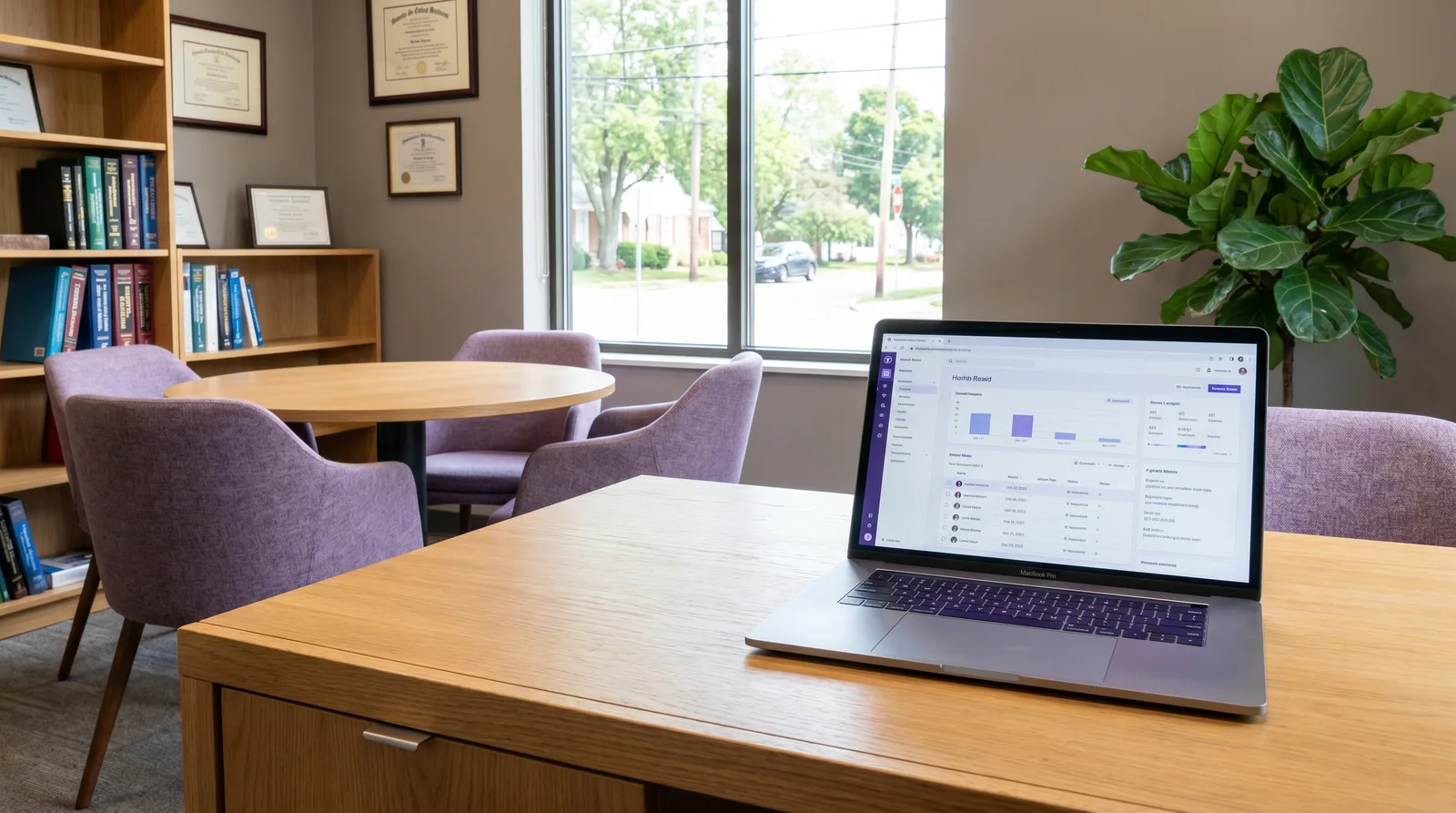
A 90-minute functional medicine intake does not fit in a standard SOAP box, and most AI scribes were not built for it. This guide covers what an AI scribe for functional medicine needs to do across a long intake: pull the chart before the visit, capture the consultation live without flattening it into a chief-complaint note, draft the note in your own protocol template, and push the result into Cerbo without double entry.
Table of Contents
- How do you document a 90-minute intake without charting at night?
- What are the clinical challenges of traditional functional medicine SOAP notes?
- How do general-purpose AI scribes fall short in integrative health?
- How Meelio captures the structural depth of US functional medicine
- The complete workflow: Connecting Meelio AI with Cerbo EHR
- Comparing clinical documentation solutions for functional medicine
- Why documentation burden affects clinician capacity
- Best practices for implementing AI-driven SOAP notes in your clinic
How do you document a 90-minute intake without charting at night?
A long functional medicine intake touches a DUTCH panel, a GI-MAP, a genetics report, and years of history, then has to land as one coherent note, not a stack of disconnected observations. Four steps keep that work inside the visit instead of after it:
- Pull the chart before the patient sits down. Meelio syncs patient demographics and history from Cerbo on a recurring schedule, so the longitudinal context (prior labs, supplements, referrals) is already loaded when the consultation starts, not something you reconstruct from memory mid-visit.
- Capture the consultation live, in order. The desktop app records the conversation as it happens and transcribes it, so a 90-minute, multi-system discussion does not depend on the practitioner's notes to reconstruct later.
- Draft the note and care plan in your own protocol template. The transcript is structured into whichever format the practice actually uses (SOAP, DAP, PIE, BIRP, or a custom Bredesen/ReCODE, Shoemaker/CIRS, Wahls, or AIP layout), not forced into a generic twelve-line note.
- Push the draft into Cerbo once, not twice. From the Consultation Card, Sync to Cerbo sends the note and care plan into a new or existing encounter, so nothing gets retyped into the EHR after the fact.
The result is a note and a care plan that are ready for review by the end of the visit, with functional-medicine-specific documentation support and current pricing detailed on their respective pages.
Key Takeaways
| Key Topic | Details |
|---|---|
| Pre-visit prep | Patient demographics, appointments, and chart history sync from Cerbo on a recurring schedule, so longitudinal context is loaded before the intake starts. |
| Integration Flow | Bidirectional integration with Cerbo EHR enables automated background sync of patient demographics, appointments, and clinical records. |
| Customized Note Formats | Supports specialized formats including SOAP, DAP, PIE, BIRP, and custom clinical narratives. |
| Comprehensive Care Plans | Generates detailed treatment, nutrition, and meal plans containing active metabolic safety checks and calorie calculations. |
| Documentation burden | Ineffective EHR systems and excessive administrative tasks are among the top sources of physician stress in AMA data; long functional medicine intakes add to that load. |
| Time back | Meelio users we surveyed report saving 8.5 hours per week per clinician (self-reported). |
What are the clinical challenges of traditional functional medicine SOAP notes?
Functional medicine consultations differ significantly from standard acute care visits. Instead of focusing on isolated symptom suppression, a functional medicine practitioner evaluates the patient's entire biological history, including lifestyle factors, environmental exposures, genetics, and gut microbiome health. Consequently, a single initial patient intake can generate a transcript of over an hour, packed with highly specific clinical details.
Writing a standard SOAP (Subjective, Objective, Assessment, Plan) note under these conditions is notoriously difficult:
- Subjective Overload: Patients often present with multi-system complaints such as joint pain, brain fog, and digestive issues. Documenting these symptoms chronologically is tedious.
- Complex Objective Data: Clinicians must integrate data from specialized functional labs, including DUTCH hormone tests, GI-MAP stool analyses, and advanced nutritional panels.
- Highly Detailed Plans: A single functional care plan may include complex supplement schedules, elimination diet protocols, and multiple lifestyle modifications.
Attempting to capture these multi-system details manually leads to hours of after-hours documentation, commonly referred to as "pajama time." This administrative backlog contributes heavily to practitioner exhaustion and limits patient scheduling capacity. To recover these lost hours, clinics must optimize their clinical workflows. Establishing robust functional medicine workflow automation strategies allows practitioners to focus on patient outcomes rather than typing.
Pro Tip: When documenting subjective sections, group symptoms by physiological systems rather than purely chronologically to help the AI structure the final notes.
How do general-purpose AI scribes fall short in integrative health?
Many clinics attempt to solve their documentation burden using general-purpose medical AI scribes. However, general-purpose tools are typically trained on brief, acute primary care visits. They are optimized to produce a highly condensed, twelve-line SOAP note focused on a single chief complaint, such as acute hypertension or a simple ear infection.
When applied to integrative medicine, these general scribes fail in several critical areas:
- Omission of Complex Protocols: They often omit detailed supplement dosages, herbal protocols, and specific dietary directions, labeling them as general lifestyle advice.
- Inability to Process Lifestyle Context: They lack the clinical framework to capture the relationship between environmental triggers, stress markers, and gut function.
- Absence of Functional Lab Integration: They cannot synthesize discussions regarding specialty functional medicine markers with the patient's clinical history.
- Lack of Integrated Patient Assets: They are limited to drafting text notes and cannot generate personalized meal plans or structured treatment plans.
Clinicians who utilize general-purpose tools find themselves spending more time correcting and manually expanding the generated note than they would have spent writing it from scratch. For high-quality results, practitioners require a platform designed for the clinical depth of integrative health. Modern clinics should transition to specialized platforms to automate patient documentation in integrative health without losing the complex clinical reasoning that complex cases demand.
Pro Tip: Avoid generic AI dictation tools that require you to speak in commands. Instead, select ambient listening platforms that capture natural conversational dialogue.
How Meelio captures the structural depth of US functional medicine

Meelio is an AI-powered clinical documentation platform designed specifically for the unique demands of integrative and functional health practitioners. Instead of squeezing complex patient histories into rigid, generic templates, Meelio preserves the comprehensive, multi-system details of your consultations.
The clinical capabilities are tailored specifically to functional medicine workflows:
- Ambient Consultation Recording: Captures high-fidelity audio of your consultations through the macOS (14+) or Windows (10+) desktop applications, converting natural patient dialogue into accurate medical transcripts.
- Multimodal Artifact Generation: Goes beyond text note drafting to generate specialized clinical notes, care plans, and detailed meal plans directly from consultation context.
- Flexible Clinical Formats: Supports multiple structured formats, including SOAP, DAP, PIE, BIRP, and Custom Clinical Narratives.
- Advanced Nutrition Calculations: The AI calculates Basal Metabolic Rate using the Mifflin-St Jeor formula and computes Total Daily Energy Expenditure with activity multipliers. It also sets custom macronutrient targets and conducts medication interaction validation to ensure calorie safety floors.
By capturing the nuance of lifestyle discussions and functional health markers, Meelio ensures that your final notes reflect the deep clinical reasoning of your practice.
Pro Tip: Utilize Meelio's custom templates to pre-define your preferred layout for specific protocols, such as SIBO treatment or thyroid management. The AI will automatically structure the captured session into your custom framework.
The complete workflow: Connecting Meelio AI with Cerbo EHR
For US-based integrative medicine clinics, the electronic health record is the operational heart of the practice. Cerbo EHR is widely recognized for its clinical flexibility and support of specialty labs. Meelio syncs directly with Cerbo EHR, allowing your completed clinical notes and care plans to transfer securely into your patient charts.
Connecting these two platforms creates a highly streamlined clinical workflow:
1. Connecting the Integration
An administrator can link the two systems by navigating to Settings → Integrations in the Meelio Desktop App, locating the EHR Integration section, and clicking Connect next to Cerbo. After inputting your Cerbo API credentials and completing the authorization, the status indicator will update to "Connected."
2. Practitioner Mapping
To route patient documents accurately, you must map your practitioners. Under Settings, click Configure Mapping next to the Cerbo connection. Match each Meelio practitioner with their corresponding Cerbo profile and click save.
3. Patient Demographic and Sync
Meelio automatically synchronizes patient demographics and scheduling data on a recurring schedule. This background sync ensures that active patients are linked and ready before their appointment. You can also trigger an immediate manual sync of this clinical history by clicking Sync Now next to Cerbo in the Integrations settings.
4. Syncing AI SOAP Notes and Care Plans to Cerbo
Once a consultation is complete, you can push your generated notes and care plans directly into Cerbo:
- In the Meelio Processing view or from a specific Consultation Card, click the Sync to Cerbo button (indicated by the up-right arrow icon).
- Choose your destination: select Create New Encounter (where you can enter an encounter title, date, and type, such as Office Visit) or select Update Existing Encounter to append the data to an existing Cerbo chart note.
- Click Sync Now to finalize the sync. A confirmation toast will appear, and all selected artifacts will immediately populate the patient's record in Cerbo.
This bidirectional alignment allows you to combine Meelio's specialized AI drafting with Cerbo's powerful charting, lab integrations, and portal systems. To understand the full technical benefits of this configuration, read our comprehensive guide on integrating Meelio AI with Cerbo EHR.
Pro Tip: When syncing to Cerbo, select 'Create New Encounter' for initial evaluations, and 'Update Existing Encounter' for short, multi-part follow-up interactions.
Comparing clinical documentation solutions for functional medicine
To select the best solution for your clinical needs, it is helpful to compare the capabilities of traditional EHR charting, general-purpose AI scribes, and specialized clinical AI platforms like Meelio.
The table below outlines how these approaches compare across key functional medicine requirements:
| Feature / Capability | Traditional EHR Charting | General-Purpose AI Scribes | Meelio AI Platform |
|---|---|---|---|
| Consultation Recording | None (manual typing) | Ambient mobile recording | Ambient desktop (macOS & Windows) |
| SOAP Note Formats | Rigid templates or manual entry | Fixed short-form SOAP only | SOAP, DAP, PIE, BIRP, and Custom |
| Functional Lab Integration | Manual upload/data entry | None | Synthesized clinical discussion |
| Care & Meal Plan Design | Manual text entry | Unsupported | Automatic BMR/TDEE & safety checks |
| Cerbo EHR Sync | Native (manual typing) | Manual copy and paste | Bidirectional API sync |
| Clinical Detail Retention | Low (due to clinician time limits) | Low (omits complex lifestyle details) | High (optimized for multi-system care) |
As shown, general-purpose scribes force integrative practitioners to rely on manual copying and pasting, while failing to support specialized requirements like personalized nutritional planning. Meelio combines specialized clinical depth with a bidirectional EHR connection, eliminating manual admin.
Pro Tip: When evaluating software costs, calculate the time spent copying and pasting from non-integrated tools to find your true return on investment.
Why documentation burden affects clinician capacity
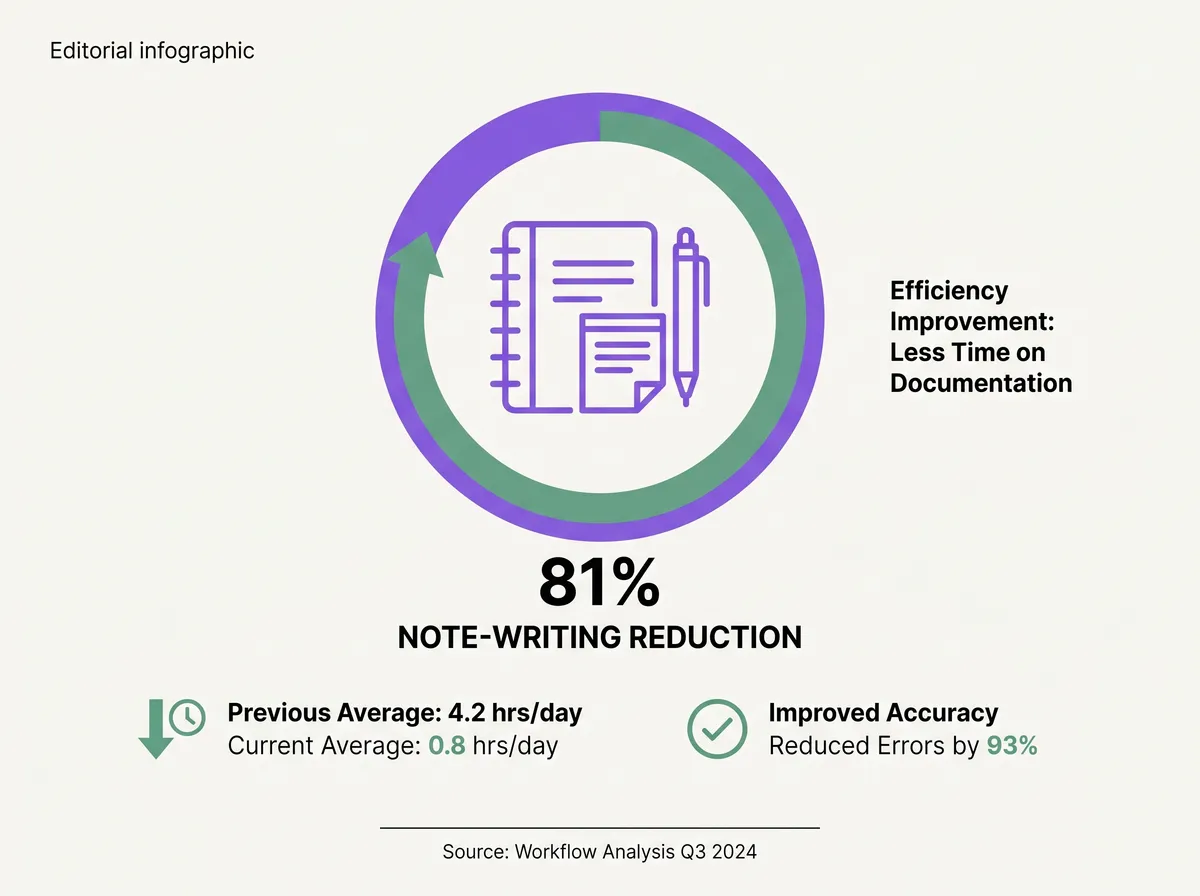
Charting load is a documented driver of clinician burnout, and functional medicine's longer, multi-system visits add to that load rather than reduce it.
- Burnout is still common, and the EHR is near the top of the list. AMA data puts the U.S. physician burnout rate at nearly 42%, and ineffective EHR systems and excessive administrative tasks are among the sources of stress physicians cite most.
- Ambient scribes measurably reduce note-writing time. A 2025 JAMA Network Open study evaluating ambient AI scribes found they cut documentation time compared with usual care, though the study does not isolate a figure specific to functional or integrative visits.
- What Meelio users report. In a survey of Meelio users, clinicians said Meelio saves them 8.5 hours per week each. That is self-reported by our own customers, not a controlled study, but it is the number practices give us when we ask.
So the fix is less keyboard time during and after the visit, not a shorter consultation.
For a 90-minute intake, this points to the same four steps covered above: pull the chart first, capture the visit live, draft in the practitioner's own template, and sync once into Cerbo. See Meelio for functional medicine doctors for how this applies specifically to protocol-based practices, and AI medical scribe for the underlying capture and drafting workflow.
Best practices for implementing AI-driven SOAP notes in your clinic
Transitioning to an AI-assisted workflow requires planning to ensure clinical accuracy and team alignment. Follow these established best practices to implement AI SOAP notes in your functional medicine practice:
Set Patient Expectations
Before starting a consultation, let the patient know that you use an ambient clinical assistant to record the session. Frame this as a benefit: "I am using an AI clinical tool to record our conversation so that I can look at you and focus entirely on your care, rather than typing on my computer." Patients almost always appreciate the direct engagement.
Combine AI with Structured Templates
AI produces its best work when guided by clear structures. Use Meelio's template engine to define the exact clinical parameters of your protocols. If you have standard supplement packages or lab reviews, embed these frameworks into your templates.
Perform a Focused Clinical Review
AI-generated drafts are not final clinical notes until you review and sign them. Always read through the generated Subjective and Assessment sections to verify that the AI correctly captured specific supplement dosages, symptom frequencies, and timeline details.
Standardize the Syncing Process
Train your administrative and clinical staff on the practitioner mapping and EHR sync workflows. Ensuring that notes are pushed immediately to Cerbo encounters maintains an accurate, up-to-date patient chart and allows your patient portal to function smoothly.
By following these guidelines, you can build a modern, efficient practice that combines the clinical depth of functional medicine with the speed of artificial intelligence.
Frequently Asked Questions
How does Meelio ensure HIPAA compliance and data security?
Meelio employs enterprise-grade security protocols, including end-to-end encryption for all consultation audio and stored clinical records. The platform does not use patient consultations or health data to train public models, ensuring that your practice remains fully compliant with HIPAA regulations and data protection standards.
Can Meelio generate note formats other than SOAP?
Yes, Meelio supports multiple clinical documentation formats through its flexible template library. Practitioners can generate SOAP, DAP, PIE, BIRP, or Custom Clinical Narratives depending on their specific practice preferences.
How does the Cerbo EHR practitioner mapping work?
Practitioner mapping is configured under Settings → Integrations in the Meelio Desktop App. Administrators can select Configure Mapping next to the Cerbo connection and match each Meelio practitioner with their corresponding Cerbo EHR profile, ensuring that synced SOAP notes and care plans are routed to the correct clinician's inbox.
Is Meelio available as a desktop application?
Yes, Meelio is available as a dedicated desktop application for both macOS (version 14 and newer) and Windows (version 10 and newer). The desktop application enables ambient consultation recording, patient profile management, and direct sync capabilities from your computer.
Can an AI scribe handle a 90-minute functional medicine intake, or only short visits?
Meelio is built for longer, multi-system visits specifically. The chart pull happens before the visit, the recording runs for the full consultation length, and the note is structured into the practitioner's own protocol template rather than a short, chief-complaint-focused SOAP format designed for 10-minute acute visits.