Cerbo EHR Functional Medicine Templates: 2026 Charting Guide
Streamline your clinical workflows with Cerbo EHR functional medicine templates. Automate SOAP notes, labs, and protocols to save hours of daily charting.
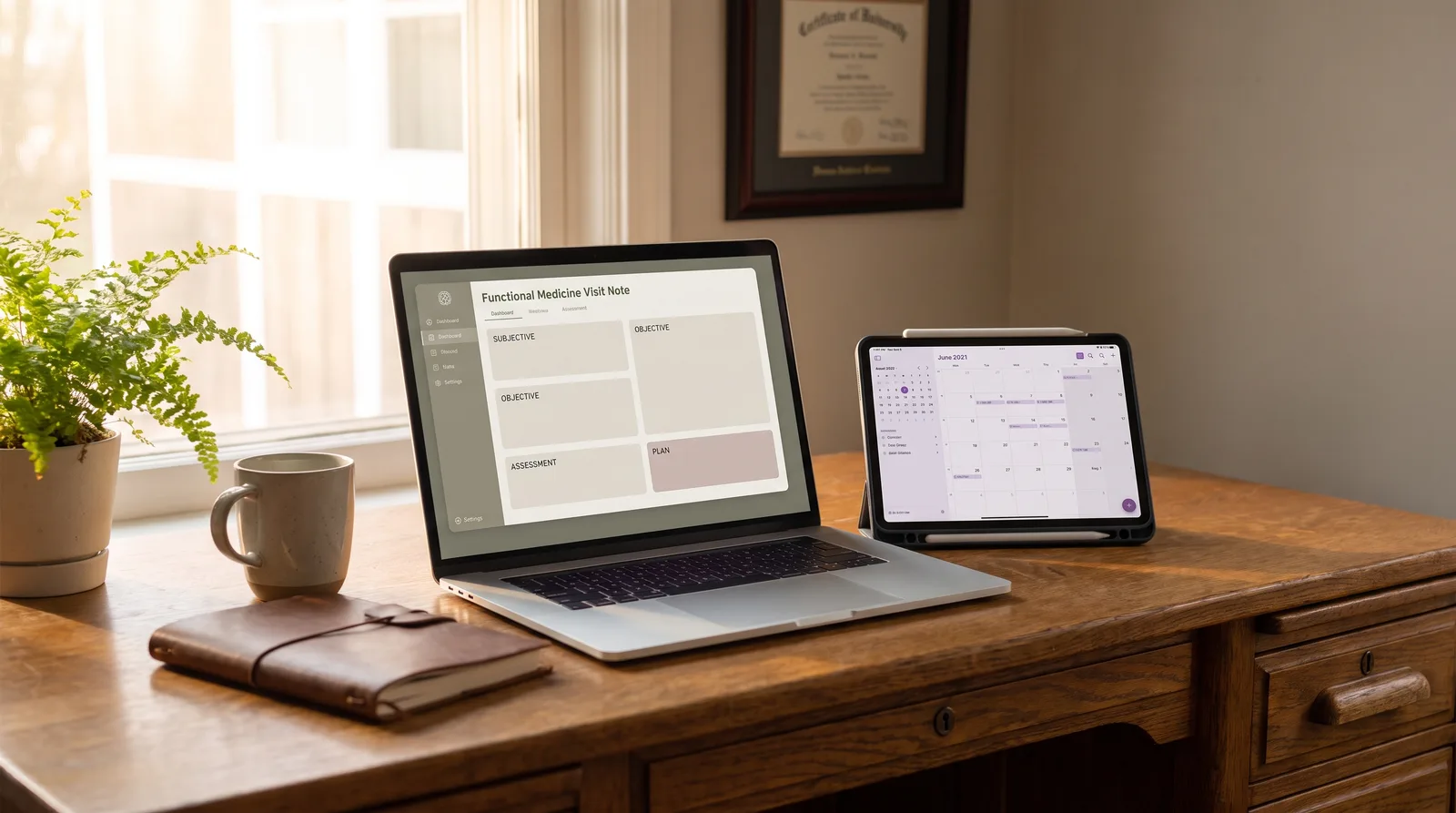
Functional medicine practitioners often find themselves drowning in the sheer volume of patient documentation required for complex, multi-system case analysis. Because initial intakes take upwards of 90 minutes, standard templates in electronic health records can quickly lead to charting fatigue and hours of after-hours admin. Optimizing your Cerbo EHR functional medicine templates is the most effective way to reclaim your schedule without sacrificing clinical detail. By aligning your clinical note-taking with smart, automation-friendly workflows, you can capture every clinical detail while preserving valuable patient time. This guide shows how to streamline your charting.
Table of Contents
- Key Takeaways
- Why standard EHR charting fails functional medicine clinics
- The anatomy of effective Cerbo EHR functional medicine templates
- How to configure fillable prompted templates in Cerbo EHR
- Documenting complex protocols like Shoemaker and Bredesen
- Summarizing specialty labs like DUTCH and GI-MAP with AI
- Direct API note pushing: How Meelio automates Cerbo charting
- Best practices to eliminate after-hours charting fatigue
- Frequently Asked Questions
Key Takeaways
| Takeaway | Details |
|---|---|
| Redundant Pajama Time | Traditional charting consumes up to 4 hours of a practitioner's day after clinic hours, leading to burnout. |
| Direct API Integration | Meelio natively pushes clinical notes directly into Cerbo EHR via API, eliminating double-documentation. |
| Custom Clinical Prompts | Custom templates in Cerbo EHR can be paired with Meelio's custom prompts to structure notes to your unique style. |
| Lab & Protocol Scribing | Ambient AI captures complex integrative vocabularies like Shoemaker Protocols and DUTCH tests without manual typing. |
| Clinical Efficiency Gain | Adopting ambient AI clinical assistants reduces overall electronic health record documentation time by over 50%. |
Why standard EHR charting fails functional medicine clinics
Standard electronic health record charting fails functional medicine clinics because conventional software is designed for short, single-issue visits rather than 90-minute multi-system consultations. Conventional systems expect a clinician to select a simple ICD-10 code and document a single acute complaint. In contrast, integrative medicine practitioners must evaluate a patient's entire lifestyle, environmental exposures, genomic history, and multi-system imbalances.
When a practitioner attempts to squeeze this expansive data into standard templates, they encounter severe bottlenecks. Studies show that clinicians spend more than 16 minutes per patient on EHR interaction alone during a standard short consultation. In functional medicine, where the visit is many times longer, this administrative load scales exponentially, resulting in a mountain of paperwork at the end of the day. To manage this demand, functional medicine clinics need a specialized electronic health record system like Cerbo EHR, coupled with automated documentation helpers. To understand the baseline EHR features required for integrative clinics, read our deep dive on Evaluating Cerbo EHR for Functional Medicine.
Pro Tip: Map your patient intake forms directly to your charting headers so that pre-visit information is already organized before the patient steps into your office.
The anatomy of effective Cerbo EHR functional medicine templates
An effective Cerbo EHR template structures multi-system intake data, timeline-mapping, and complex supplement protocols into highly scannable clinical sections. Because functional medicine reviews are uniquely exhaustive, a template must balance deep details with structural legibility. A high-quality charting template divides the encounter into clear, predictable blocks.
A robust template for integrative care should always prioritize the following core sections:
- The Patient Timeline: A chronological organization of life events, environmental triggers, and antecedent factors.
- Multi-System Review of Systems: Grouped by functional systems (such as gastrointestinal, neuroendocrine, and detoxification) rather than isolated anatomical organs.
- Supplement Log & Active Protocols: Structured tables that clearly outline specific supplement brands, therapeutic dosages, and precise administration timings.
- Behavioral and Lifestyle Factors: Detailed records of diet, sleep quality, stress levels, and daily movement.
Pro Tip: Use Cerbo's native formatting tools to highlight critical clinical sections, such as active supplement plans, so they stand out during rapid chart reviews.
How to configure fillable prompted templates in Cerbo EHR
Configuring fillable prompted templates in Cerbo EHR involves defining specific short-text macros and clinical prompts that help practitioners input physical exam and lifestyle data with minimal keystrokes. Cerbo EHR supports a feature called "Fillable Prompted Templates" which lets you insert standardized text-blocks with drop-down selectors and fillable text fields. This helps maintain consistent clinical records across your entire practice.
By building these prompted blocks, you can ensure that important questions regarding lifestyle factors, stress, and environmental exposures are never missed during a busy consultation. However, manually clicking through prompts and typing details during a consultation can interfere with the patient connection. A peer-reviewed clinical trial demonstrated that utilizing ambient clinical transcription helpers can reduce EHR charting time by over 50%, helping clinicians maintain eye contact with patients rather than staring at their screens. This balance of automated drafting and structured templates represents the modern state-of-the-art workflow. For more details on configuring these integrations, visit our Cerbo EHR integration page.
Pro Tip: Group your prompted templates by visit type (such as initial functional medicine assessment vs. a quick 15-minute supplement follow-up) to minimize search time during active charting.
Documenting complex protocols like Shoemaker and Bredesen
Documenting complex integrative protocols requires template structures that can systematically track environmental triggers for CIRS or metabolic biomarkers for cognitive decline. When treating patients with complex chronic illnesses, practitioners must adhere to highly specific, multi-step clinical guides. For example, the Shoemaker Protocol for Chronic Inflammatory Response Syndrome (CIRS) requires step-by-step validation of symptom clusters, HLA-DR genetics, visual contrast sensitivity (VCS) tests, and biotoxin exposures.
Similarly, the Bredesen ReCODE Protocol for cognitive decline demands the tracking of metabolic, nutritional, and inflammatory biomarkers across multiple distinct therapeutic categories. Attempting to document these protocols manually in a standard note is an administrative bottleneck. Using protocol-aware clinical AI tools allows you to discuss these detailed steps naturally with your patient, while the ambient scribe handles the heavy lifting of drafting the detailed, protocol-specific clinical notes. Learn more about how specialized AI captures these complex protocols in our guide on Why to Use Protocol-Specific AI in Integrative Health.
Pro Tip: Set up custom templates in your clinical workspace for each step of the Shoemaker or Bredesen Protocol to ensure your ambient scribe structures the draft notes exactly to your clinical plan.
Summarizing specialty labs like DUTCH and GI-MAP with AI
Summarizing multi-page specialty tests like the DUTCH hormone panel or GI-MAP gut analysis is best accomplished by using intelligent, clinical-grade AI scribes that understand specialty biomarkers. Functional medicine relies heavily on advanced functional testing to identify the root causes of disease. A single GI-MAP report can list dozens of microbial species, inflammatory markers, and digestive health indicators, while a DUTCH test delivers a highly nuanced map of hormone metabolites and cortisol patterns.
Manually transcribing these complex biomarker values into your Cerbo EHR note is incredibly slow. Instead of manual transcription, clinicians can use Meelio's clinical AI assistant during the consultation to synthesize and summarize the patient's lab results in real time. The AI recognizes the specific biomarkers and integrates the findings into your structured clinical note. For a practical example of how to capture these advanced assessments, see our article on DUTCH Test Hormone Protocol AI Documentation.
Pro Tip: When discussing lab results with a patient, state the primary abnormal values out loud during the consultation so the ambient scribe can capture and highlight them in the assessment section of your SOAP note.
Direct API note pushing: How Meelio automates Cerbo charting
Meelio automates your clinical documentation by capturing consultation audio, drafting structured notes, and pushing them directly into the patient's encounter in Cerbo EHR via its secure API. While many general-purpose AI scribes require you to copy and paste your notes from a separate browser window, Meelio offers a deep, native integration built specifically for Cerbo EHR users.
This native API support makes a significant difference compared to other EHR platforms. For instance, in Practice Better, Meelio pulls demographics and appointments via API, but notes and care plans must be copied and pasted using Meelio's one-click clipboard helpers. For Cerbo EHR, Meelio supports direct clinical note pushing via the API, allowing you to draft, review, and push your completed SOAP notes directly into the Cerbo patient encounter with a single click. This eliminates double-documentation and allows you to complete your charting before the patient even leaves the room. Explore this medical scribing workflow further on our AI medical scribe use case page.
Key Feature Comparison: Meelio vs Manual Charting
| Feature | Manual Charting in Cerbo EHR | Generic AI Scribes | Meelio + Cerbo EHR Integration |
|---|---|---|---|
| Integrative Vocabulary | Requires manual typing of complex clinical protocols. | Often misinterprets functional medicine tests and labs. | Built-in support for Bredesen, Shoemaker, DUTCH, and GI-MAP. |
| Integration Type | Native to Cerbo but requires manual text entry. | Copy and paste only (no native API integration). | Native API integration with direct note pushing. |
| Documentation Formats | Restricted to basic template blocks. | Standard SOAP note formats only. | Custom SOAP, DAP, PIE, Narrative, and custom structures. |
| Daily Admin Time | Consumes 3 to 4 hours of after-hours charting daily. | Saves 1 to 2 hours of copy-paste work. | Saves up to 4 hours of charting, eliminating pajama time. |
| Care Plan Creation | Requires manual assembly of nutrition and lifestyle plans. | None (notes only). | Generates complete, custom care plans via AI Care Plans. |
Pro Tip: In Meelio, connect your Google Calendar to sync your appointments automatically, making it easy to link every recorded consultation to the correct Cerbo EHR patient file.
Best practices to eliminate after-hours charting fatigue
Eliminating after-hours charting fatigue requires a combination of clinical-grade ambient AI scribing, structured Cerbo EHR templates, and real-time review workflows. The goal is to finish your clinical documentation during the consultation day rather than letting it accumulate into a massive evening chore. By establishing a systematic workflow, you can successfully reclaim your evenings.
To achieve this documentation efficiency, implement these three key practices:
- Use Ambient Audio Capture: Start recording at the beginning of the consultation and let the AI capture the natural conversation. Do not feel the need to dictate or structure your words in real time.
- Review Notes Between Visits: Spend 2 minutes immediately after the consultation to review and edit the draft note generated by Meelio.
- Use Direct API Syncing: Click the "Push to EHR" button inside Meelio immediately after approving the note to sync it to Cerbo EHR, ensuring your charts are 100% complete before your next patient encounter.
Implementing ambient AI clinical documentation tools has been shown to reduce clinician burnout from 52% to 39% in large clinical cohorts. By adopting a direct, API-connected workflow, you can secure these same mental health and operational benefits for your functional medicine clinic.
Pro Tip: Standardize your clinical terminology during your visits so that your AI assistant can consistently map your spoken recommendations to your specific Cerbo EHR Chart Parts.
Frequently Asked Questions
Does Meelio support custom SOAP note templates?
Yes, Meelio supports custom clinical note templates. You can define any custom SOAP, DAP, PIE, or Narrative note format in your template library to match your exact clinical workflows and preferences.
Can Meelio push notes directly into Cerbo EHR?
Yes, Meelio natively pushes clinical SOAP notes directly into Cerbo EHR via its secure API. Once you review and approve a note inside Meelio, a single click transfers the drafted text directly into the patient's encounter in Cerbo, eliminating the need to copy and paste.
How does Meelio handle Practice Better notes?
For Practice Better, Meelio pulls demographics and appointments via API, but does not support direct note pushing. Instead, Meelio provides a secure, one-click clipboard helper to copy and paste your generated SOAP notes and care plans into Practice Better's system.
How does Meelio understand complex functional medicine lab results?
Meelio is built specifically for integrative and functional medicine, allowing it to recognize and structure clinical insights from complex vocabularies like the Bredesen Protocol, Shoemaker Protocol, DUTCH hormone panels, and GI-MAP tests.