CIRS Charting in Cerbo EHR: Streamlining Complex Protocols
Discover how to streamline complex CIRS and Shoemaker Protocol charting in Cerbo EHR using a protocol-aware AI scribe to eliminate hours of data entry.
Functional medicine clinicians face administrative burdens that can easily consume the hours meant for patient care. Investigating complex cases like Chronic Inflammatory Response Syndrome (CIRS) requires capturing extensive patient history, environmental exposure details, and highly specific lab values. Studies show that office-based clinicians spend up to 5.9 hours on electronic health record (EHR) tasks for every 8 hours of scheduled patient time, turning clinical practice into an endless cycle of documentation. For practitioners managing mold illness and biotoxin protocols, cirs charting cerbo ehr integration represents a vital opportunity to reclaim their time and focus on healing.
Managing these multi-system, multi-step cases demands a clinical workflow that can keep pace with intricate data without forcing the provider into late-night charting sessions. Traditional EHR tools require significant manual data entry, clicking through checkboxes, or copy-pasting structured text. This guide shows how integrating a protocol-aware ambient AI scribe with your clinical workspace automates complex CIRS and Shoemaker Protocol documentation, streamlining your chart notes and patient plans.
Table of Contents
- The Complexity of CIRS Charting in Cerbo EHR
- How Ambient AI Scribes Automate the Shoemaker Protocol
- Pushing Structured CIRS SOAP Notes Directly to Cerbo EHR
- Attaching CIRS Care Plans and Lab Summaries to the Patient Chart
- Meelio vs. Generic Scribes vs. Manual Charting in Cerbo
- Ensuring Efficacy and Clinical Accuracy in Your Notes
Key Takeaways
| Aspect of CIRS Charting | Manual Typing / Generic Scribe | Meelio AI Scribe + Cerbo EHR Integration |
|---|---|---|
| Documentation Burden | Clinicians spend 5.9 hours daily on EHR data entry with manual notes. | Reduces documentation time by up to 81%, saving hours of administrative overhead. |
| Symptom Cluster Mapping | Requires manually grouping findings into 13 complex CIRS symptom clusters. | Automatically groups and maps spoken symptoms into the standard 13 clinical clusters. |
| Integration with Cerbo EHR | Manual copy-pasting or switching between tabs and templates. | Natively pushes structured clinical SOAP notes directly into Cerbo via secure API. |
| Care Plans & Lab Summaries | Created from scratch or copy-pasted from offline documents. | Generates clinical care plans and uploads them directly as professional PDF attachments. |
| Practice Better Integration | No native direct note pushing; demographics sync via API. | Demographic/schedule syncs via API; clipboard helpers transfer notes in one click. |
The Complexity of CIRS Charting in Cerbo EHR
CIRS charting in Cerbo EHR is uniquely demanding because biotoxin illness is a multi-system, multi-symptom condition that does not fit into standard medical documentation templates. Clinicians must evaluate and track symptoms across 13 distinct symptom clusters, which include everything from cognitive executive dysfunction and word-finding difficulties to physical joint pain, light sensitivity, and temperature dysregulation. Documenting these findings during a standard patient visit can overwhelm a clinician, leading to compromised patient engagement or hours of after-hours data entry.
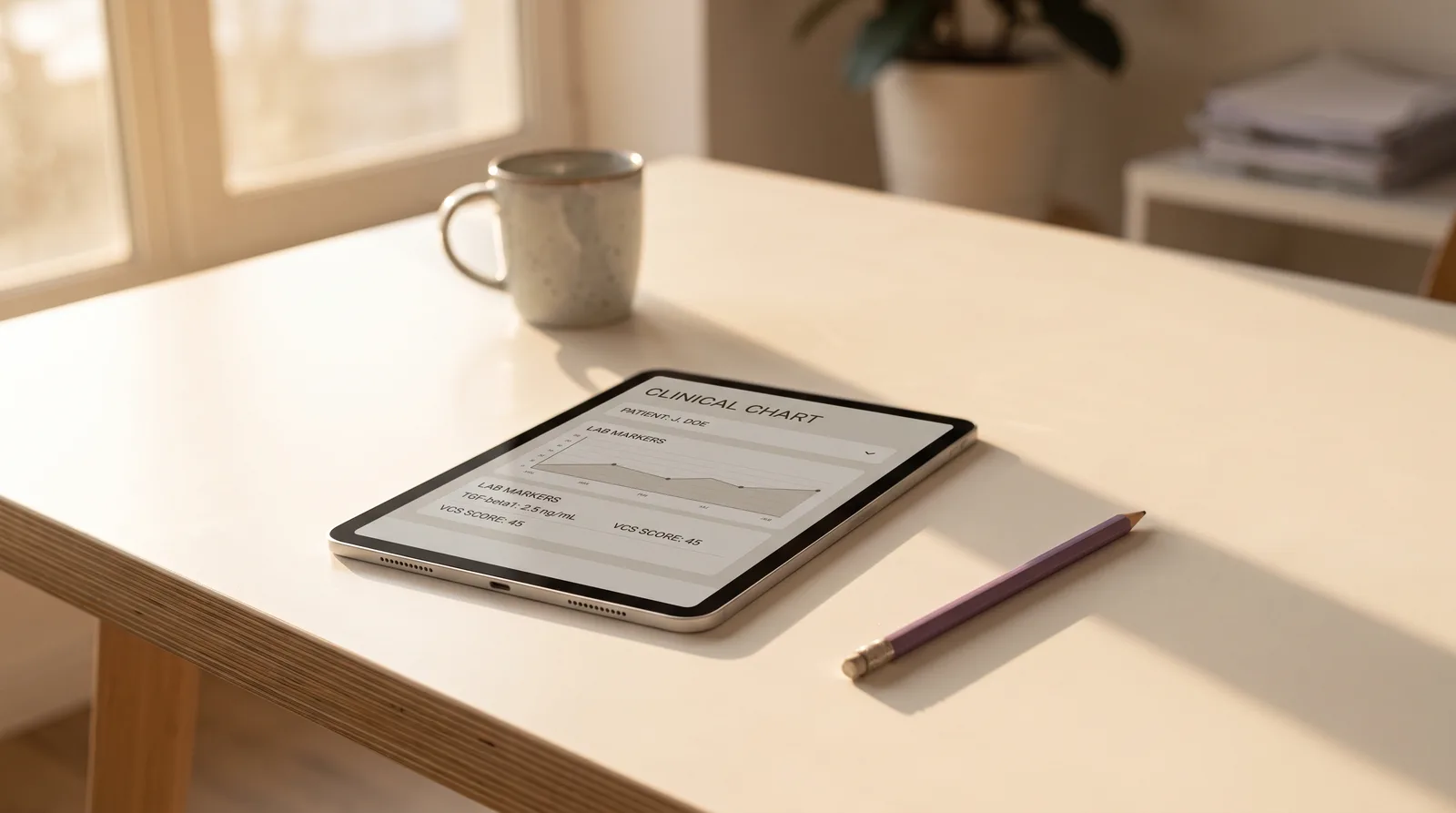
In addition to symptom tracking, a comprehensive CIRS chart must detail environmental exposure histories, including previous water-damaged buildings, and record environmental testing metrics. Providers routinely track scores from the Environmental Relative Moldiness Index (ERMI) or the HERTSMI-2 rating system. In a standard EHR interface, entering these numbers, tracking Visual Contrast Sensitivity (VCS) test results, and maintaining a history of sequential lab markers like TGF-beta1, C4a, MSH, and MMP-9 requires constant clicking and navigation.
While Cerbo EHR offers flexible templating tools like "Chart Parts" to paste pre-configured text, clinicians must still manually select, customize, and fill in these templates for each patient. For a comprehensive new-patient consult that often runs 60 to 90 mins, compiling these complex clinical narratives manually can easily add 30 to 45 mins of charting time per encounter.
Pro Tip: Create specific Chart Parts in Cerbo for the different tiers of the Shoemaker Protocol. This allows you to have structured text blocks ready when appending Meelio's pushed encounter drafts.
How Ambient AI Scribes Automate the Shoemaker Protocol
Ambient AI scribes automate the Shoemaker Protocol by listening to the clinical conversation and organizing unstructured dialogue into highly structured clinical documents. During a patient visit, you can speak naturally with the patient about their symptoms, mold exposure, binder tolerance, and lab results. Third-party clinical trials show that ambient AI scribes can reduce clinical documentation time by up to 81%, allowing practitioners to focus entirely on the patient rather than the computer screen.
Because Meelio is built with deep support for integrative health and functional medicine vocabularies, it recognizes and structures complex protocols automatically. Whether you are discussing the eradication of MARCoNS with nasal sprays, reviewing binders like cholestyramine or Welchol, or outline dietary modifications, the AI understands the clinical context. It groups symptoms into the appropriate CIRS clusters, registers the current phase of the 12-step Shoemaker Protocol, and drafts a cohesive narrative.
By leveraging Meelio's ambient AI scribe, the complex details of a CIRS consultation are captured in real time. The AI-drafted note is ready for your review immediately after the consultation ends, meaning you no longer have to recall intricate exposure histories or symptom lists from memory hours after the patient has left.
Pro Tip: When discussing lab results, state the key values out loud during the consultation (for example, "Your TGF-beta1 came back elevated at 6,500"). The ambient AI will capture this spoken data and place it directly into the objective section of your note.
Pushing Structured CIRS SOAP Notes Directly to Cerbo EHR
Pushing structured CIRS SOAP notes directly to Cerbo EHR is possible because of Meelio's robust, bi-directional API integration. Once you have reviewed and approved your AI-drafted SOAP note within the Meelio Desktop App, you can send it directly to Cerbo with a single click. This eliminates the need to manually copy and paste text between different windows, a common source of workflow friction in busy clinics.
Within the Meelio interface, clicking the "Sync to Cerbo" button opens a dialog where you can choose to create a new encounter note or append the draft to an existing, unsigned encounter in Cerbo. This flexibility is essential for CIRS care, where follow-up visits build on previous diagnostic workups. You can specify the date of service, select the encounter type (such as Office Visit or Follow-up), and map the note to the correct practitioner. Unlike other platforms like Practice Better where notes are copied and pasted via clipboard helpers, Cerbo supports a direct API note push, making it a preferred EHR for integrated clinics.
Pro Tip: If your EHR credentials expire or are rotated, Meelio's organization-wide alert banner will immediately let your team know, pausing background sync to prevent API lockout. This ensures your workflow remains secure and uninterrupted.
Attaching CIRS Care Plans and Lab Summaries to the Patient Chart
Attaching CIRS care plans and lab summaries to the patient's chart maintains clinical organization. In addition to encounter notes, CIRS treatment involves separate documents like binder instructions, dietary guidelines, and lab summaries. Meelio renders these AI-generated care plans into clean, professional PDF files and uploads them directly to Cerbo EHR.
When attaching PDFs, checking a box routes the file directly to the practitioner's Cerbo review queue for sign-off. Leaving it unchecked files the PDF directly into the patient's chart history. To keep charts organized, Meelio automatically generates clean chart document names (such as "CIRS Care Plan" or "Biotoxin Protocol") that omit redundant dates or patient names, safely keeping them under Cerbo's 255-character limit.
This structured approach is particularly helpful when managing the sequential steps of CIRS treatment. For example, a clinician can attach a GI-MAP functional medicine guide or a DUTCH test hormone protocol guide as distinct, beautifully formatted PDFs, keeping the main encounter note focused on the clinical assessment.
Pro Tip: Use Meelio's "Add Note" field in the send dialog to include quick context or staff instructions (such as "Please schedule follow-up VCS test in 4 weeks") that will save alongside the attached PDF in Cerbo.
Meelio vs. Generic Scribes vs. Manual Charting in Cerbo
Practices managing complex chronic illnesses need to understand how different documentation methods affect their daily operations and overall charting time. Traditional manual charting requires typing every detail or relying on static templates. Generic AI scribes, while helpful for simple acute care, lack the specific vocabularies required for functional medicine. A protocol-aware platform is designed to handle the complexity of biotoxin illness and clinical integrations.
The following table compares the different documentation strategies across key clinical criteria for CIRS and Cerbo EHR users:
| Feature / Capability | Manual Charting in Cerbo | Generic AI Scribes | Meelio Protocol-Aware AI |
|---|---|---|---|
| CIRS Vocabulary Support | Manual typing or pre-made templates | Often misinterprets clinical terms (TGF-beta1, VCS) | Natively supports complex biotoxin and integrative terms |
| Symptom Cluster Mapping | Clinician must manually group into 13 clusters | Lists symptoms chronologically without clinical grouping | Automatically maps symptoms into standard CIRS clusters |
| Cerbo EHR Note Sync | Done entirely inside the EHR | Requires manual copy-pasting across windows | Pushes notes directly as encounters via secure API |
| Care Plan Generation | Created manually from scratch | Drafts generic, standard medical advice | Generates detailed CIRS Care Plans based on protocol steps |
| PDF Chart Attachments | Requires manual export and upload | No direct PDF rendering or EHR upload | Renders clean PDFs and uploads directly to charts |
| Administrative Overhead | High (over 30 mins per complex chart) | Medium (requires significant manual editing) | Low (drafts are ready for rapid clinical review) |
Practitioners who transition from manual charting or generic tools to a specialized workflow often find that they save hours of admin work each week. Because Meelio natively supports Google Calendar, Cerbo, and Practice Better integrations, the platform fits into existing practice workflows, pulling patient demographics and schedules automatically.
Ensuring Efficacy and Clinical Accuracy in Your Notes
Ensuring clinical accuracy is the core of adopting clinical AI tools. Ambient scribes draft notes based on consultations, but never make medical decisions, diagnose conditions, or finalize records. Clinicians remain the final reviewer, approving every note before syncing it to the patient's chart.
To support accuracy, Meelio maps recordings against your custom Practice Library (Practice DNA), matching your preferred protocols, supplement lists, and phrasing style. When the AI drafts a Shoemaker Protocol CIRS documentation note, it aligns the plan with your guidelines.
Whether charting CIRS or complex neurodegenerative cases like the Bredesen ReCODE Protocol, an AI that understands specialized clinical vocabularies ensures drafting accuracy. This combination of oversight and protocol awareness keeps charts audit-proof and clinically sound.
Pro Tip: Review the AI-generated note in Meelio's Artifact Panel immediately after the visit while the patient's story is fresh in your mind. This makes the review and sync process take less than 60 seconds.
Frequently Asked Questions
How does Meelio's note integration with Cerbo EHR differ from its integration with Practice Better?
Meelio's note integration with Cerbo EHR is a direct, programmatic sync that pushes drafted SOAP notes directly into Cerbo as electronic encounter notes via a secure API. In contrast, Meelio's integration with Practice Better is designed for copy-and-paste workflows, utilizing specialized, one-click clipboard helpers to move notes and plans from Meelio into the patient's Practice Better record. While both integrations pull patient demographics and appointment schedules automatically via API, only Cerbo EHR supports the direct note-pushing capability.
Can Meelio automatically map the 13 clinical symptom clusters of CIRS during a consultation?
Yes, Meelio's protocol-aware AI is trained on specialized functional medicine vocabularies and can automatically organize a patient's reported symptoms into the standard 13 clinical symptom clusters of CIRS. During the consultation, you do not need to ask questions in a rigid order; you can speak naturally with the patient. The AI listens to the dialogue, extracts the clinical details, and groups the findings into the appropriate categories within the subjective portion of your SOAP note.
Is my patient data secure when syncing clinical documents between Meelio and Cerbo EHR?
Yes, patient data is kept secure through encrypted, HIPAA-compliant communication channels during all sync operations between Meelio and Cerbo EHR. Meelio utilizes secure API keys to authenticate connections and continuously monitors connection health. If credentials expire or change, Meelio pauses background sync automatically and displays a soft amber warning or a global alert banner, ensuring that sensitive health records are never exposed to unauthorized endpoints.
Do I need to manually upload Meelio-generated CIRS care plans as PDFs to Cerbo?
No, you do not need to manually export and upload these files, as Meelio allows you to push generated care plans directly to Cerbo with a single click. When you choose to attach a care plan as a PDF, Meelio renders the document into a clean, professional file and uploads it directly to the patient's chart. You can opt to route the document to your Cerbo review queue for formal sign-off or file it directly into the patient's historic chart, with Meelio automatically managing file names to keep them organized.