Heavy Metal Detox Charting in Cerbo EHR
Simplify your heavy metal detox charting cerbo ehr workflow. Use Meelio's protocol-aware ambient AI to push structured notes directly to Cerbo via API.
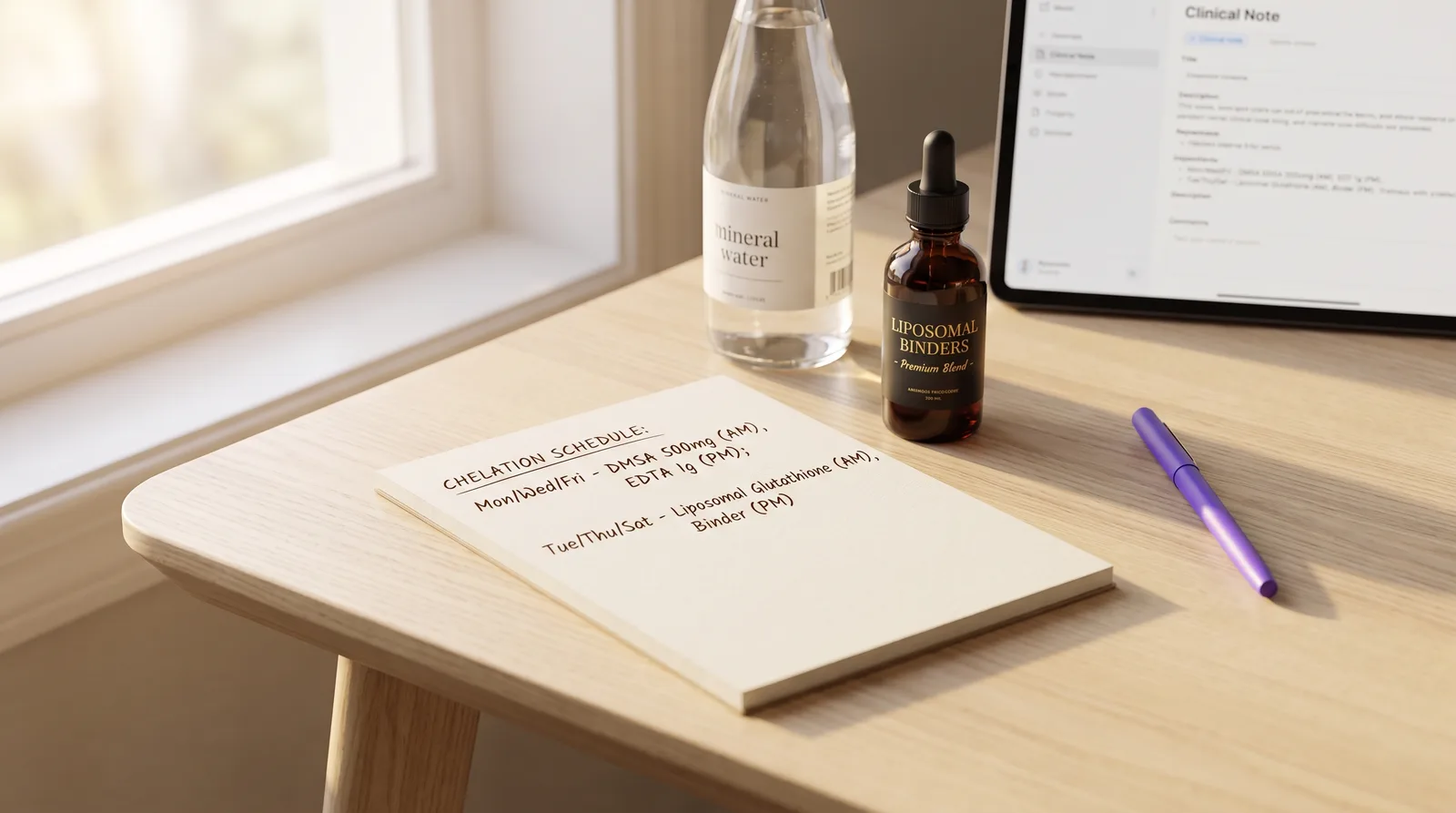
For functional and integrative medicine clinics, managing heavy metal detox charting cerbo ehr workflows is essential to reduce administrative overload and focus on patient recovery. Environmental toxicant exposures, specifically heavy metals like lead, mercury, arsenic, and cadmium, represent some of the most complex cases in modern clinical practice. Patients presenting with chronic toxicant accumulation often exhibit multi-system, multi-symptom profiles that include fatigue, cognitive impairment, peripheral neuropathy, and cardiovascular issues. Studies show that office-based clinics spend up to 5.9 hours on electronic health record (EHR) tasks for every 8 hours of scheduled patient time, turning the care of complex patients into an overwhelming documentation burden. For practitioners utilizing detailed detoxification and chelation protocols to guide recovery, adopting a protocol-aware ambient AI scribe is a vital path to saving time and regaining clinical balance.
Rather than forcing providers to spend late hours typing out complex detoxification protocols, utilizing a dedicated clinical AI assistant automates the heavy lifting of charting. Instead of typing out intricate biological pathways or manually transferring data between windows, you can engage in natural, story-led conversations with your patients. This guide explores the technical details of documenting heavy metal toxicities, structuring clinical SOAP notes, and pushing completed documents directly into your Cerbo EHR patient records.
Table of Contents
- Key Takeaways
- The Burden of Heavy Metal Detox Charting in Cerbo EHR
- Capturing Complex Chelation and Binder Protocols with Ambient AI
- Structuring the SOAP Note: Functional Lab Ranges and Exposure Timelines
- Pushing Structured Detox Notes to Cerbo EHR via Secure API
- Generating and Managing Patient-Facing Care Plans
- Meelio vs. Generic Scribes vs. Manual Charting in Cerbo EHR
- Frequently Asked Questions
Key Takeaways
The following comparison table outlines the key differences between manual charting, generic ambient AI scribes, and Meelio's protocol-aware integration for heavy metal detoxification documentation in Cerbo EHR.
| Metric / Capability | Manual Charting in Cerbo | Generic AI Scribe | Meelio AI Scribe + Cerbo EHR |
|---|---|---|---|
| Documentation Burden | Clinicians spend up to 5.9 hours daily on EHR-related tasks. | Reduces typing but requires heavy editing for integrative health vocabulary. | Reduces charting time by up to 81%, saving several hours of administrative work. |
| Protocol Recognition | Manual copy-pasting of complex markers and chelating schedules. | Fails to recognize or organize complex toxicant protocols. | Built with deep support for Bredesen ReCODE, Shoemaker Protocol, and complex lab vocabularies. |
| Integration with Cerbo EHR | Requires manual template selection and data entry. | Manual copy-pasting or switching between browser tabs and systems. | Natively pushes structured clinical SOAP notes directly into Cerbo via secure API. |
| Practice Better Integration | Demographic sync via API but manual care plan transfer. | No specialized support; requires manual copying. | Synced demographics and schedules via API; one-click clipboard helpers transfer notes and plans. |
| Care Plans & Meal Plans | Created from scratch or offline documents. | Basic medical summaries only; no specialized wellness structures. | Generates clinical care plans and detailed dietary plans, uploaded directly as PDF files. |
The Burden of Heavy Metal Detox Charting in Cerbo EHR
Heavy metal detoxification charting is incredibly tedious because it requires recording complex exposure histories, interpreting functional lab results, and managing intricate, phased treatment plans. During a new-patient intake, a functional medicine practitioner must document decades of potential environmental, occupational, and dietary exposures. This includes detailing old dental amalgams, history of lead paint exposure in older homes, occupation-related metal fumes, well water usage, and high-frequency seafood intake. These historical details are vital for establishing clinical context but are difficult to capture efficiently in conventional EHR templates.
Furthermore, interpreting heavy metal testing panels introduces significant documentation overhead. Practitioners frequently run provoked urine metals tests, whole blood metals panels, or hair tissue mineral analyses. These panels measure a wide array of toxic elements (such as lead, mercury, cadmium, arsenic, nickel, and aluminum) alongside essential nutritional minerals. Documenting the specific provoked values, the chelating agent used (such as DMSA, DMPS, or EDTA), and the provocation duration requires highly detailed data entry.
Finally, heavy metal treatment plans are rarely simple. They involve phased schedules of oral chelators, liposomal binders, mineral replacements, and antioxidant supports like glutathione. Research shows that clinical trials utilizing structured detoxification strategies require meticulous adherence and tracking of mineral statuses to prevent depletion of essential elements like zinc and copper. Documenting these specific schedules, dosages, and safety boundaries manually adds significant after-hours charting to every single patient encounter.
Capturing Complex Chelation and Binder Protocols with Ambient AI
Meelio's ambient AI scribe automates the capturing of complex chelation and binder protocols by listening to the natural clinical conversation and organizing it into highly structured notes. During a follow-up consultation, you can talk naturally with your patient about their detoxification symptoms, bowel movement frequency, binder timing, and supplement tolerance. Third-party clinical trials show that ambient AI scribes can reduce clinical documentation time by up to 81%, allowing you to maintain full eye contact with your patient instead of focusing on a screen.
Because Meelio is built with specialized clinical dictionaries for integrative and functional medicine, it easily recognizes complex toxicological terms. Whether you are discussing oral DMSA (dimercaptosuccinic acid) cycling, intravenous EDTA (ethylenediaminetetraacetic acid) therapies, or liposomal glutathione, Meelio captures every nuance. It understands the distinct roles of systemic chelators, which mobilize tissues metals, and gut-based binders like modified citrus pectin, zeolite clay, activated charcoal, and silica-rich mineral waters, which prevent the enterohepatic recirculation of toxins.
This automated structuring removes the need for clinicians to filter and categorize their notes manually after a visit. The AI organizes the conversation into a coherent, highly structured clinical SOAP draft, capturing the subtle clinical details that generic AI scribes routinely miss.
Structuring the SOAP Note: Functional Lab Ranges and Exposure Timelines
Structuring a comprehensive heavy metal toxicity note in Cerbo EHR requires creating custom SOAP sections that integrate exposure timelines, functional lab results, and patient symptom charts. Standard acute-care EHR templates are rarely equipped to organize multi-system chronic toxicant histories. By configuring your clinical templates around functional medicine principles, you can track patient progress systematically across multiple systems.
Your SOAP note templates should separate subjective exposure symptoms (such as brain fog, fatigue, and metallic taste) from functional lab interpretations and objective metal clearance markers. Studies evaluating metal toxicities show that using functional lab reference ranges allows practitioners to identify sub-clinical toxicant burdens that standard conventional lab baselines often overlook. Capturing these functional lab metrics alongside clinical symptoms is essential for guiding safe, effective heavy metal detoxification programs.
By utilizing customized templates, you can easily map complex pathways like cellular glutathione status, liver detoxification phases, and methylation markers like MTHFR. This level of detail ensures that your clinical notes are highly professional and fully support your clinical decision-making.
Pushing Structured Detox Notes to Cerbo EHR via Secure API
Pushing complex heavy metal detoxification SOAP notes directly to Cerbo EHR is accomplished with a single click using Meelio's secure, bi-directional API integration. Once your consultation recording is complete and the AI has drafted your clinical note, you can review, edit, and approve the document inside the Meelio Desktop App. After approval, clicking the "Sync to Cerbo" button securely transmits the structured note back to your Cerbo account.
Inside the Send to Cerbo dialog, you can choose exactly how you want the documentation to be filed:
- Create new encounter note: This option allows you to enter an encounter title, specify the date of service, and select a Cerbo encounter type (such as Office Visit or Follow-up). The clinical note is filed as an electronic encounter note.
- Add to existing encounter: If you have an existing unsigned encounter in the patient's Cerbo record, you can choose to append Meelio's pushed note directly to that encounter, keeping all documentation for the day unified.
This native API integration eliminates the need to switch between screens or manually copy and paste text blocks. It helps keep your EHR clean and organized while drastically reducing the time spent on clinical documentation. Reducing this administrative overhead helps decrease clinician burnout, which clinical studies show can be lowered from 51.9% to 38.8% through AI-assisted documentation workflows.
Generating and Managing Patient-Facing Care Plans
Managing detailed heavy metal detox care plans and supplement regimens in Cerbo EHR is streamlined by generating clean PDF artifacts that attach directly to the patient's chart. Because heavy metal detox protocols often involve complex, multi-phase supplement protocols, specific binder-to-meal timing, and dietary modifications to support liver clearance, patient-facing documentation must be exceptionally clear and professional.
With Meelio, you can generate personalized care plans and detailed dietary structures directly from your consultation audio. Once approved, these documents can be synced to Cerbo EHR as PDF attachments. You can choose whether to route the PDF to your Cerbo review queue for formal sign-off or file it directly to the patient's chart history.
To maintain professional and organized records, Meelio automatically generates clean chart document names. The files are attached with decoded titles that omit redundant dates or patient names (such as "Detox Care Plan" or "Chelation Supplement Protocol") and are safely capped at 255 characters to prevent Cerbo naming issues.
Meelio vs. Generic Scribes vs. Manual Charting in Cerbo EHR
Choosing between Meelio, generic scribes, and manual charting in Cerbo EHR hinges on whether the tool understands functional medicine vocabularies and can natively push structured documents. Generic AI scribes often struggle with complex clinical terms, frequently misinterpreting functional medicine concepts, laboratory testing names like the DUTCH test or GI-MAP, and protocol-specific supplement regimens. These generic tools typically require extensive manual editing, offsetting much of the time saved during the consultation.
Furthermore, generic scribes lack native EHR integrations. Clinicians are forced to manually copy and paste sections of their notes from a browser tab into Cerbo EHR, navigating multiple screens and increasing the risk of data entry errors.
Meelio resolves these challenges by combining a deep, protocol-aware clinical vocabulary with direct, secure API integrations. While Meelio natively supports direct clinical note pushing and PDF document attachment via API for Cerbo EHR, it also integrates with Practice Better. For Practice Better, demographics and appointment schedules sync automatically via API, and clinicians utilize Meelio's built-in one-click clipboard helpers to quickly transfer generated notes and care plans without manual typing.
Frequently Asked Questions
Does Meelio support direct note pushing into Practice Better?
No, Meelio does not support direct note pushing or direct PDF attachment into Practice Better via API. While patient demographics and appointment schedules sync automatically via API, clinical notes, meal plans, and care plans are transferred into Practice Better using Meelio's convenient, one-click clipboard helpers. Only Cerbo EHR supports direct note pushing and document attachment via API.
How does Meelio handle complex functional medicine lab vocabularies?
Meelio is built with a specialized clinical dictionary trained on integrative health, functional medicine, and protocol-specific terminology. It easily recognizes and structures complex terms, including heavy metal toxicities, Shoemaker Protocol clusters, GI-MAP pathogen markers, and hormone metabolites from the DUTCH test. This reduces editing time and ensures clinical accuracy.
Can I attach care plans and meal plans directly to the patient's chart in Cerbo EHR?
Yes, Meelio allows you to attach AI-generated care plans, meal plans, and consultation summaries directly to the patient's chart in Cerbo EHR as professional PDF files. During the sync process, you can choose to route these documents to your Cerbo review queue for formal sign-off or file it directly to the patient's chart history.
Is Meelio's API integration with Cerbo EHR secure and HIPAA-compliant?
Yes, Meelio's integration with Cerbo EHR utilizes secure, encrypted API connections to transmit patient demographics, appointment schedules, and clinical documentation. Meelio is built from the ground up to maintain strict HIPAA compliance, ensuring that all protected health information (PHI) is safely managed and encrypted both in transit and at rest.