Functional Medicine Charting in Cerbo EHR: AI Workflows
Streamline functional medicine charting in Cerbo EHR. Use clinical AI to automate notes, care plans, and save hours of clinical charting daily.
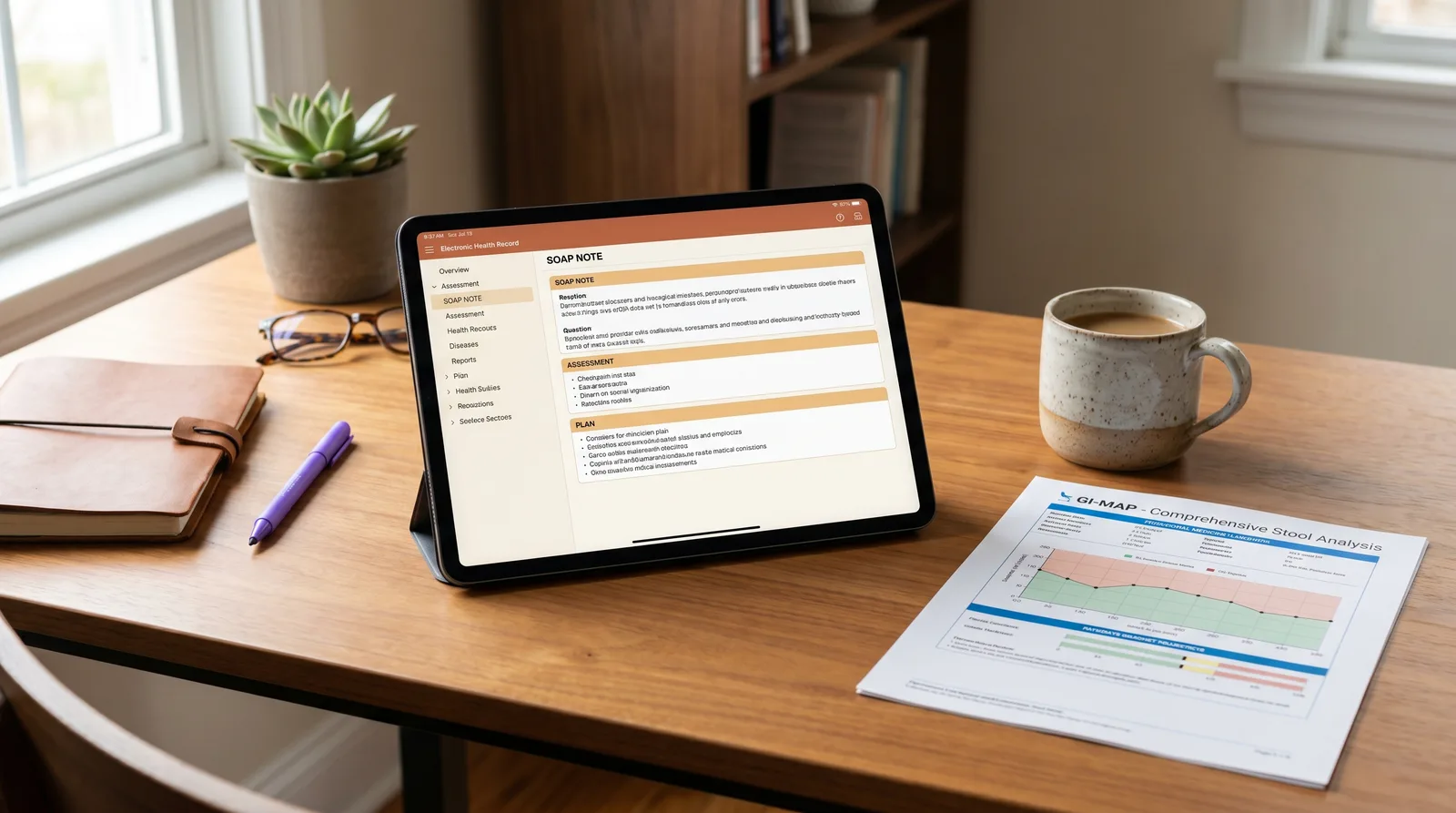
Functional medicine clinicians face an admin burden that conventional practice models rarely match. Because integrative consultations often stretch for sixty to ninety minutes, capturing a patient's complete history, environmental triggers, and lifestyle factors can lead to exhausting after-hours admin. Streamlining your functional medicine charting in Cerbo EHR is key to regaining clinical sanity. A study in the Annals of Internal Medicine showed that clinicians spend over 16 minutes per patient on EHR documentation alone, which adds up to hours of lost personal time every single week.
This guide provides a blueprint for integrating modern clinical AI workflows with your EHR to automate note creation, simplify care plan generation, and help you get home on time.
Table of Contents
- Why is functional medicine charting in Cerbo EHR so time consuming?
- How can Chart Parts and clinical AI automate Cerbo EHR workflows?
- What is the step-by-step workflow for syncing clinical notes to Cerbo EHR?
- How does AI ambient scribing capture complex integrative and functional medicine protocols?
- How do Meelio and Cerbo compare to traditional charting methods?
- How does bi-directional sync prevent duplication in group practices?
- How do you maintain clinical oversight when using automated charting in Cerbo?
Key Takeaways
| Core Takeaway | Workflow Details |
|---|---|
| Documentation Burden | Clinical documentation occupies up to 35% of a practitioner's workday without AI optimization. |
| EHR Native Pushing | Clinical notes and PDF care plans are pushed directly into Cerbo via native API integrations. |
| Integrative Vocabulary | Ambient AI captures specialty labs like DUTCH and complex protocols like Bredesen ReCODE. |
| Practice Better Support | Demographic sync is supported, while notes are copied using clipboard helpers. |
| Time Saved | Implementing ambient clinical AI scribes saves up to 4 hours daily of admin time. |
Why is functional medicine charting in Cerbo EHR so time consuming?
Functional medicine charting is exceptionally time-consuming because clinicians must synthesize multi-hour patient histories, specialty lab panels, and longitudinal protocols into highly structured encounter notes. Unlike conventional medicine visits that focus on a single acute symptom, a single functional medicine consultation can cover dozens of physiological systems, nutrient deficiencies, and environmental triggers.
When you are documenting complex chronic conditions, your notes must be highly detailed. Physicians spend substantial portions of their day interacting with EHR systems rather than talking to patients. Manually typing these details into Cerbo EHR's interface leads to a dreaded after-hours documentation backlog. To learn more about how Cerbo supports integrative care, read our deep dive on Evaluating Cerbo EHR for Functional Medicine or discover how to build custom functional medicine templates to optimize your clinical documentation.
Pro Tip: Organize your clinical templates in Cerbo to align with your pre-consultation patient intakes to make manual reviews faster.
How can Chart Parts and clinical AI automate Cerbo EHR workflows?
Clinical AI automates Cerbo EHR workflows by instantly summarizing complex consultations and generating structured SOAP notes that fit perfectly into your existing Chart Parts templates. Cerbo's Chart Parts are text-blocks that pull in pre-written recommendations, supplement dosages, and physical exams. However, Chart Parts cannot write the highly variable subjective portion of your notes from a conversation.
Integrating an ambient clinical scribe makes a major difference. The clinical AI captures the natural conversation and formats a clinical draft that aligns with your specific SOAP, DAP, or narrative templates. A published clinical trial showed that ambient AI scribes can reduce charting times by over 50%, allowing you to focus on the patient instead of your screen. Learn how to set up this workflow on our Cerbo EHR integration page.
Pro Tip: Combine your most common clinical recommendations into Chart Parts text blocks, then let the AI write the highly customized subjective narrative.
What is the step-by-step workflow for syncing clinical notes to Cerbo EHR?
Syncing clinical notes to Cerbo EHR involves recording the session, reviewing the draft note in Meelio, and pushing it directly to the patient's chart as a new encounter note via the API. Because Meelio has a native integration with Cerbo EHR, there is no need to copy and paste text blocks across screens. The connection is secure, private, and fully automated.
The standard day-to-day workflow consists of the following steps:
- Select the Patient: Open the Meelio desktop app and choose the patient. Meelio pulls your patient list and appointments automatically from Cerbo EHR via the API.
- Record the Consultation: Click record at the beginning of your consultation. Speak naturally with the patient, discussing symptoms, lifestyle factors, and lab interpretations.
- Review the Generated Note: Within two minutes of completing the consultation, Meelio drafts your structured clinical notes (such as SOAP or DAP notes), nutrition care plans, and customized meal plans.
- Push to Cerbo: Click the "Sync to Cerbo" button directly in Meelio. Choose to create a new encounter note, append to an existing unsigned encounter, or route a PDF version directly to your review queue inside Cerbo.
This direct API pushing is a key advantage of the Cerbo integration. While Meelio offers demographics and appointment sync with other EHRs like Practice Better, clinical SOAP notes, care plans, and meal plans are copied over using simple, one-click clipboard helpers on those platforms. In contrast, Cerbo EHR remains our premier integration for direct clinical note pushing. You can read more about this on our clinical scribe use case page.

Pro Tip: Always link the consultation card to the patient's record in Meelio before clicking the sync button to ensure a perfect chart match.
How does AI ambient scribing capture complex integrative and functional medicine protocols?
AI ambient scribing captures complex integrative protocols by recognizing highly specialized medical vocabularies, specialty labs, and personalized treatment plans without requiring clinician dictation. Traditional medical scribes often struggle with functional medicine vocabulary, failing to recognize terms like methylation, mitochondria, or specific strains of probiotics.
Modern clinical AI is trained on these nuanced vocabularies, ensuring that your notes are highly accurate from the first draft:
- Specialty Lab Interpretation: During the consultation, you can discuss the results of a DUTCH test, a GI-MAP, or an Organic Acids Test (OAT). The AI understands the biomarkers being discussed and captures your interpretation in the objective section.
- Complex Protocols: Whether you are implementing the Bredesen protocol for cognitive decline, which involves extensive metabolic tracking and customized dietary interventions, or the Shoemaker protocol for CIRS, which requires precise diagnostic tracking and multi-system clinical notes, the AI recognizes the sequence of steps and organizes them into a readable plan. You can also automate charting for other complex environmental illness and biochemical workflows like Lyme disease charting, Mycotoxin test charting, heavy metal detox charting, and Methylation protocol charting.
- Supplement Recommendations: Ambient AI identifies specific vitamin dosages, herbal adaptogens, and complex supplement schedules, listing them clearly in the plan section of your note.
By capturing these details automatically, you eliminate the risk of forgetting minor details. You can explore how we optimize these workflows on our clinicians overview page.
Pro Tip: Speak your clinical reasoning out loud during physical exams so the ambient scribe can capture your findings and document them in the objective section of your note.
How do Meelio and Cerbo compare to traditional charting methods?
Comparing Meelio's automated Cerbo integration with traditional methods reveals that clinical AI reduces the documentation burden while maintaining deep protocol-specific detail. Traditional charting methods like manual typing or generic templates force you to choose between spending hours writing comprehensive notes, or keeping brief, incomplete records.
The table below contrasts the main charting methodologies across several key dimensions:
| Feature | Meelio + Cerbo EHR | Generic AI Scribes | Manual Chart Parts & Typing |
|---|---|---|---|
| API Note Pushing | Native API push as encounters or PDFs | Clipboard copy-paste only | Manual entry into Cerbo |
| FM Protocol Support | Built-in awareness of Bredesen, Shoemaker, Wahls | Generic SOAP notes only | Requires building custom templates |
| Specialty Lab Coding | Recognizes DUTCH, GI-MAP, OAT panels | Struggles with functional terms | Manual entry of lab values |
| Schedule Syncing | Full bi-directional calendar sync | No direct calendar integration | Manual check of schedules |
| Care & Meal Plans | Generates nutrition and meal plans from audio | Note generation only | Must write plans manually |
By transitioning to an AI-assisted workflow, you can save up to 4 hours of administrative work every single day, freeing up time to see more patients. You can learn more about how we generate care plans on our AI care plans use case page.
Pro Tip: When comparing clinical AI scribes, prioritize platforms that support direct API note pushing rather than simple clipboard helpers to maximize your administrative time savings.
How does bi-directional sync prevent duplication in group practices?
Bi-directional sync prevents duplication in group practices by automatically mapping practitioner schedules and patient demographics in real time. In multi-provider clinics, managing schedules across separate platforms can lead to errors and double-bookings.
With Meelio's native integration, your patient list stays synchronized:
- Unified Calendar: Meelio maps practitioners to Cerbo counterparts, syncing appointments directly to your home dashboard.
- Automatic Demographics: Patient profiles and contact details are pulled via the API, matching consultations with the correct Cerbo chart.
- Secure Permissions: Administrators configure practice-wide settings, while practitioners link personal calendars securely.
This flow ensures staff never manually transfer demographics or appointments. To view multi-provider pricing, visit our pricing page.
Pro Tip: Spend fifteen minutes during onboarding to map each provider's Cerbo calendar for a unified practice schedule.
How do you maintain clinical oversight when using automated charting in Cerbo?
Maintaining clinical oversight when using automated charting in Cerbo involves treating every AI-generated document as a draft that must be reviewed, edited, and signed off by the licensed clinician. AI platforms should never make medical decisions, diagnose patients, or finalize records without practitioner sign-off.
To maintain full control, follow these review steps:
- The Verbal Review: Confirm key details with your patient during the consultation to ensure high-quality ambient data.
- The Staging Edit: Review the draft in Meelio before pushing, editing any spelling or clinical terms.
- The Cerbo Review Queue: Push the note to the Cerbo review queue rather than filing it directly to the chart to perform a final check.
- Clinical Customization: Supplement the generated note with clinical insights or specific Patient DNA protocols.
By establishing this review loop, you gain efficiency while retaining clinical control. Learn more on our AI meal planning page.
Clinical documentation is essential, but it should never come at the expense of patient connection. Ambient AI acts as a digital scribe, drafting records so you can focus on the human story.
Pro Tip: Route personalized care plans to the Cerbo review queue for a final check before committing them to the patient's main chart.
Frequently Asked Questions
How does Meelio's clinical AI handle 60-minute functional medicine consultations?
Meelio is specifically designed to process long, detailed conversations without cutting off or losing context. While generic scribes struggle with the density of sixty-to-ninety-minute sessions, Meelio's specialized clinical models capture longitudinal histories, environmental triggers, and complex lab interpretations, organizing them into structured SOAP notes.
Can Meelio push care plans and meal plans directly to Practice Better?
Meelio connects to Practice Better to sync client profiles and schedules, but clinical notes, care plans, and meal plans are copied over using simple, one-click clipboard helpers. Only Cerbo EHR supports direct clinical note pushing via API. This ensures that you can still use Meelio's generated plans in Practice Better with minimal manual effort.
What is the difference between Cerbo Chart Parts and Meelio clinical AI?
Cerbo Chart Parts are static text templates that you pull in using keyboard shortcuts for common recommendations. Meelio clinical AI is an active, ambient listener that drafts custom, patient-specific narratives based on your actual conversation, which can then be combined with or pushed directly into your Cerbo encounter notes.
How does Meelio ensure HIPAA compliance and protect patient data?
Meelio is fully HIPAA-compliant, SOC 2 Type II certified, and signs Business Associate Agreements (BAAs) with all practicing clinics. All audio recordings are encrypted in transit and at rest, and no patient health information (PHI) is ever used to train public LLM models, ensuring complete clinical privacy.